WordPress to HTML Conversion

A faster website.
Less to worry about.

Has your website been hacked? Tired of updating WordPress and plugins? We convert your website to HTML, preserving its design and recoverable content. Your public pages no longer depend on WordPress updates, and you can keep publishing articles through a simple dashboard.

Keep your content · Continue publishing articles · Get support throughout the migration

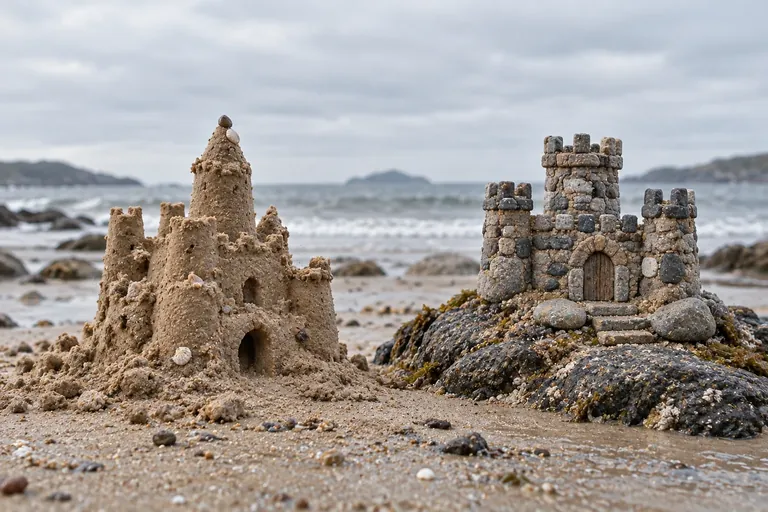
A sandcastle and a stone castle model on a rock.
A stronger foundation for your online business.

Feel confident about your website again.

There are two common reasons to switch. We start by understanding what happened and what your business needs.

Has your website been hacked?

An intrusion can take your website offline, change its content or create pages you do not recognise. We assess what can be recovered and rebuild the public website in HTML using verified content.

Before launch, we review access and hosting and identify the steps needed to avoid carrying the problem into the new version. Recovery depends on the condition of the website and the backups available.
Always updating WordPress and plugins?

Updates, compatibility issues and the fear of something breaking take time. With public pages served as HTML, your website no longer relies on WordPress, themes or plugins to display its content.

You can still manage articles through a simple dashboard. The dashboard, forms and hosting continue to need security and maintenance, with the scope defined in your proposal.

Our Work

Real websites. Practical conversions.

Explore the projects and the optimisation work carried out for each one.

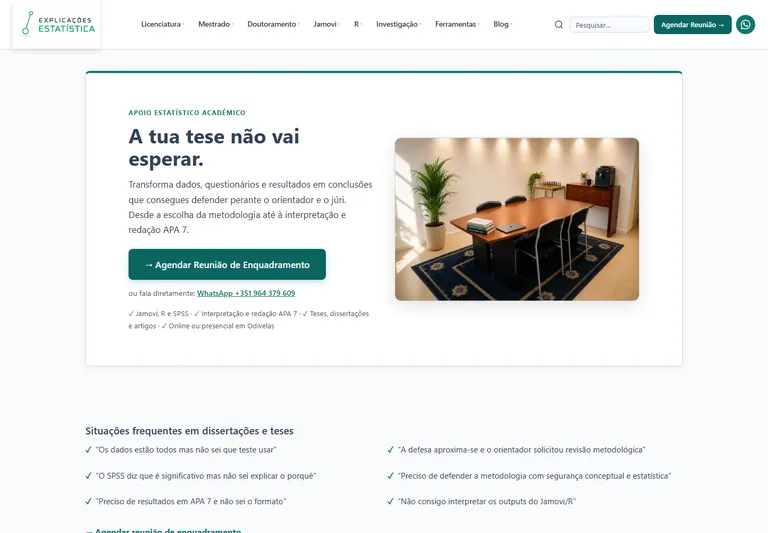
Homepage of the Explicações de Estatística project

Explicações de Estatística

Rebuilt from WordPress to HTML, with student resources and statistical analysis tools.

Explore the Conversion →
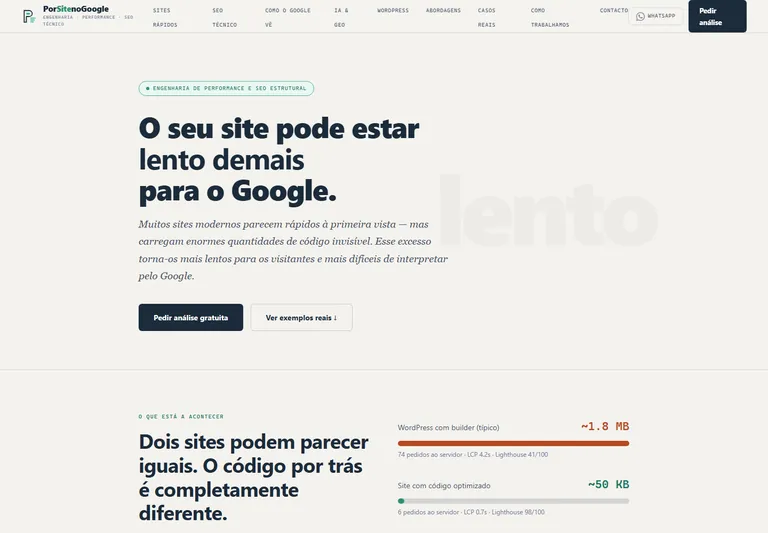
Homepage of Ana Maria Freitas' website

Case Study · Security-led Conversion

Ana Maria Freitas

The client wanted to move from WordPress to HTML to strengthen website security. We preserved the presentation of her services and contact options in a simpler structure that no longer depends on WordPress, themes or plugins to serve pages.

A conversion driven by the peace of mind of having fewer components to update and protect.

Visit the Website →

How we converted 1000sites itself

This website also started in WordPress with Brizy. Its conversion to static HTML is documented, including content extraction and file organisation.

Read the Case Study →

One stylesheet for a consistent website

In an HTML project, the stylesheet brings together the presentation rules: colours, fonts, spacing, buttons and other elements. Pages share the same visual identity, and design changes can be applied consistently.

The 1000sites style guide documents these choices with examples of headings, colours, buttons, cards and forms. It shows how the presentation of an HTML website can be documented.

View Our Style Guide ↗

What you gain from the conversion

A lighter structure built around what your website actually needs.

Usability matters too. Alongside speed, we can review navigation, readability, buttons and forms to make your website easier to use. Improvements are defined in the proposal: converting to HTML alone does not fix the user experience.

Lighter pages

The public website serves ready-made HTML instead of generating each page through WordPress. We also optimise images, fonts and styles; results depend on content and hosting.

Fewer dependencies

Your public website no longer relies on WordPress themes and plugins. The management dashboard and hosting still need protection, backups and appropriate maintenance.

More predictable maintenance

Your design is no longer affected by page-builder updates. Future changes and features are planned around your business needs.

You can keep publishing articles

The management dashboard publishes your content. Visitors receive static HTML pages.

  1. 1

    Write your article

  2. 2

    Add images and an SEO description

  3. 3

    Publish on your website

Three dashboard styles we have built

These screenshots show real examples. We choose the editing style and fields to suit your content and the way you prefer to work. Included features are defined in the proposal. The original screenshots are in Portuguese; the dashboard language can be specified for your project.

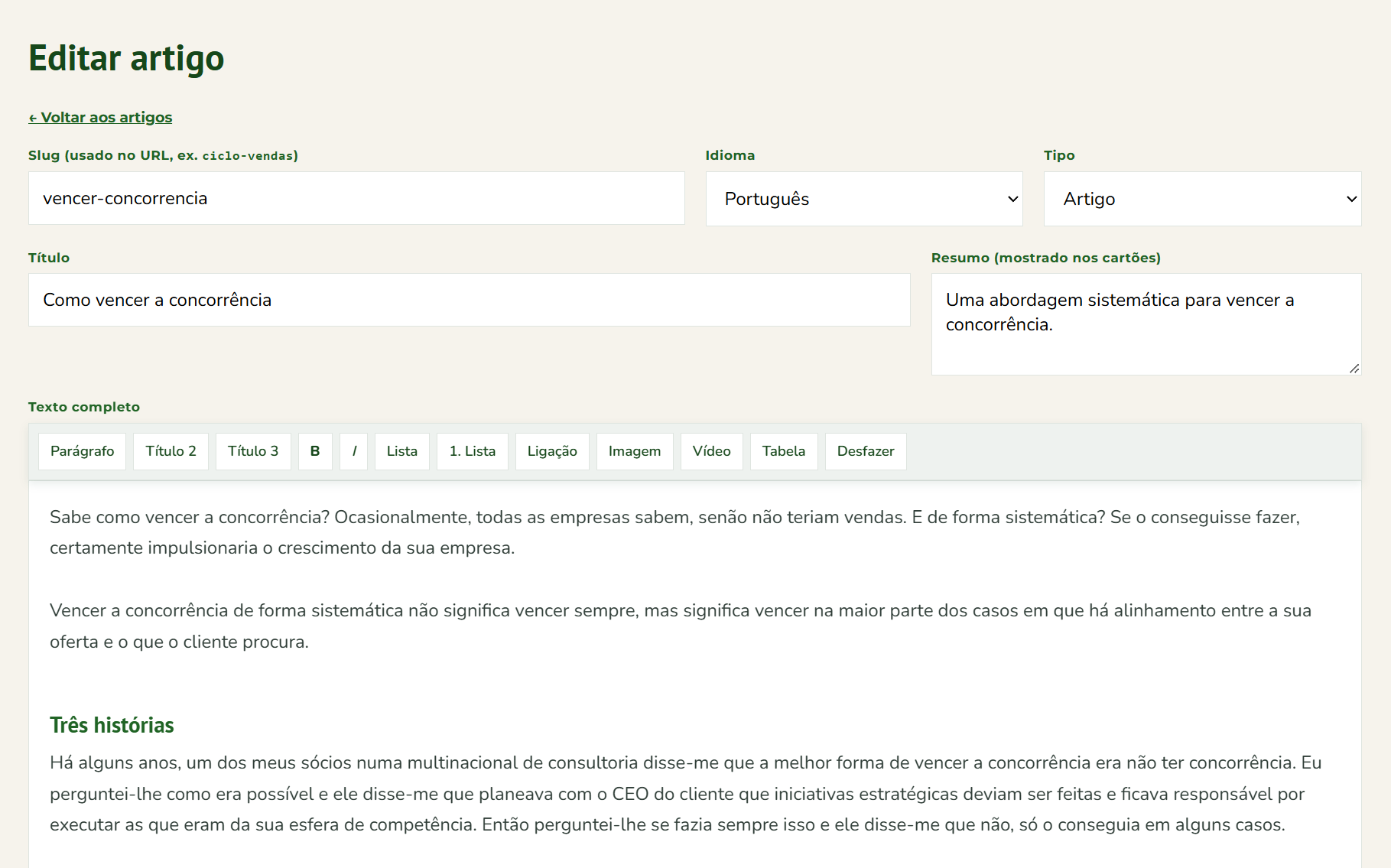
01 · Custom fields

A dashboard with the fields your website uses: title, summary, language, content type and body text. A straightforward option for entering and publishing content without navigating unnecessary menus.

View Full-size Screenshot ↗
Dashboard with title, summary, language and text editor fields

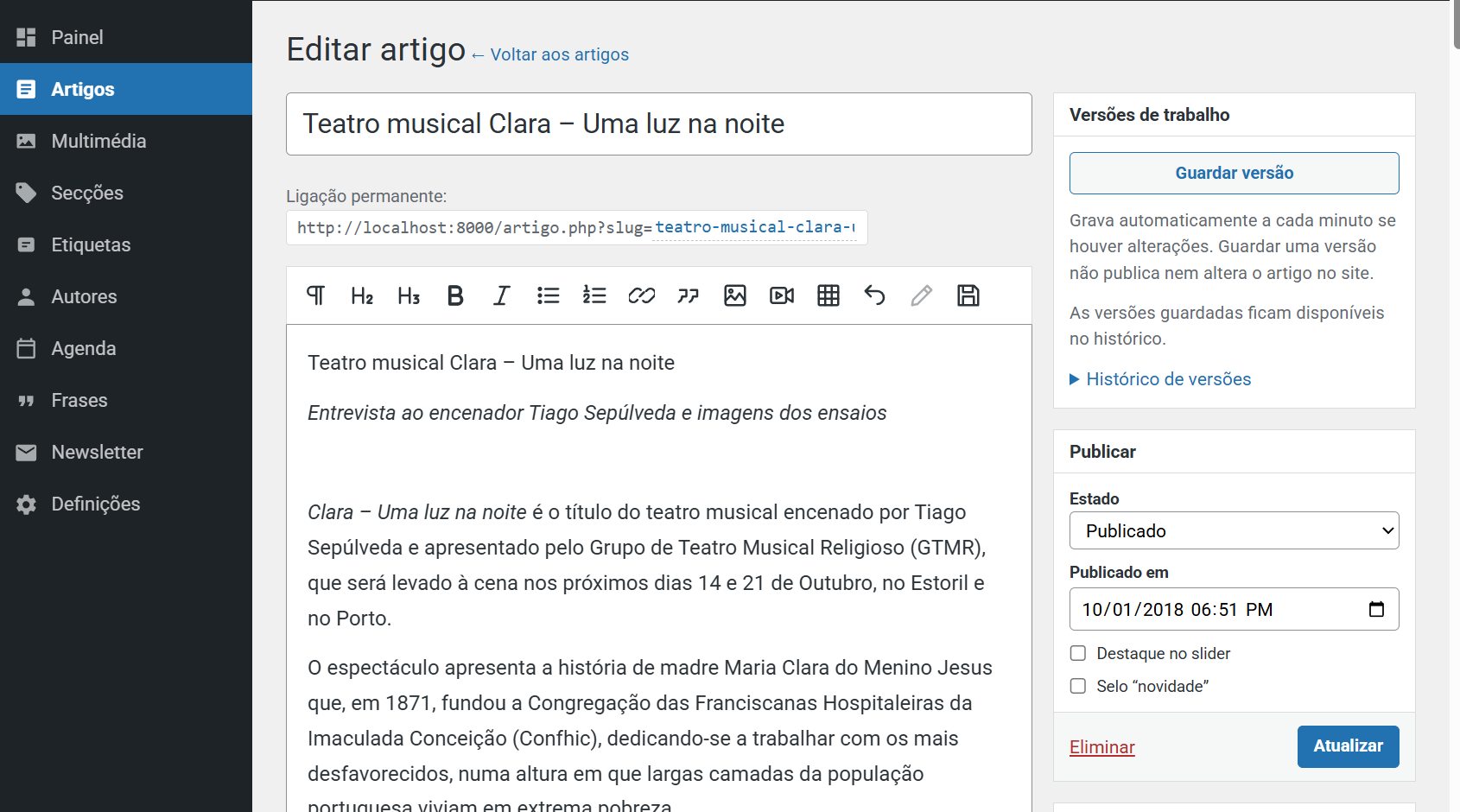
02 · Classic editor

A layout familiar to WordPress users, with a sidebar, text editor, media and publishing options. A familiar experience in a custom-built dashboard.

View Full-size Screenshot ↗
Classic dashboard with sidebar, article editor and publishing options

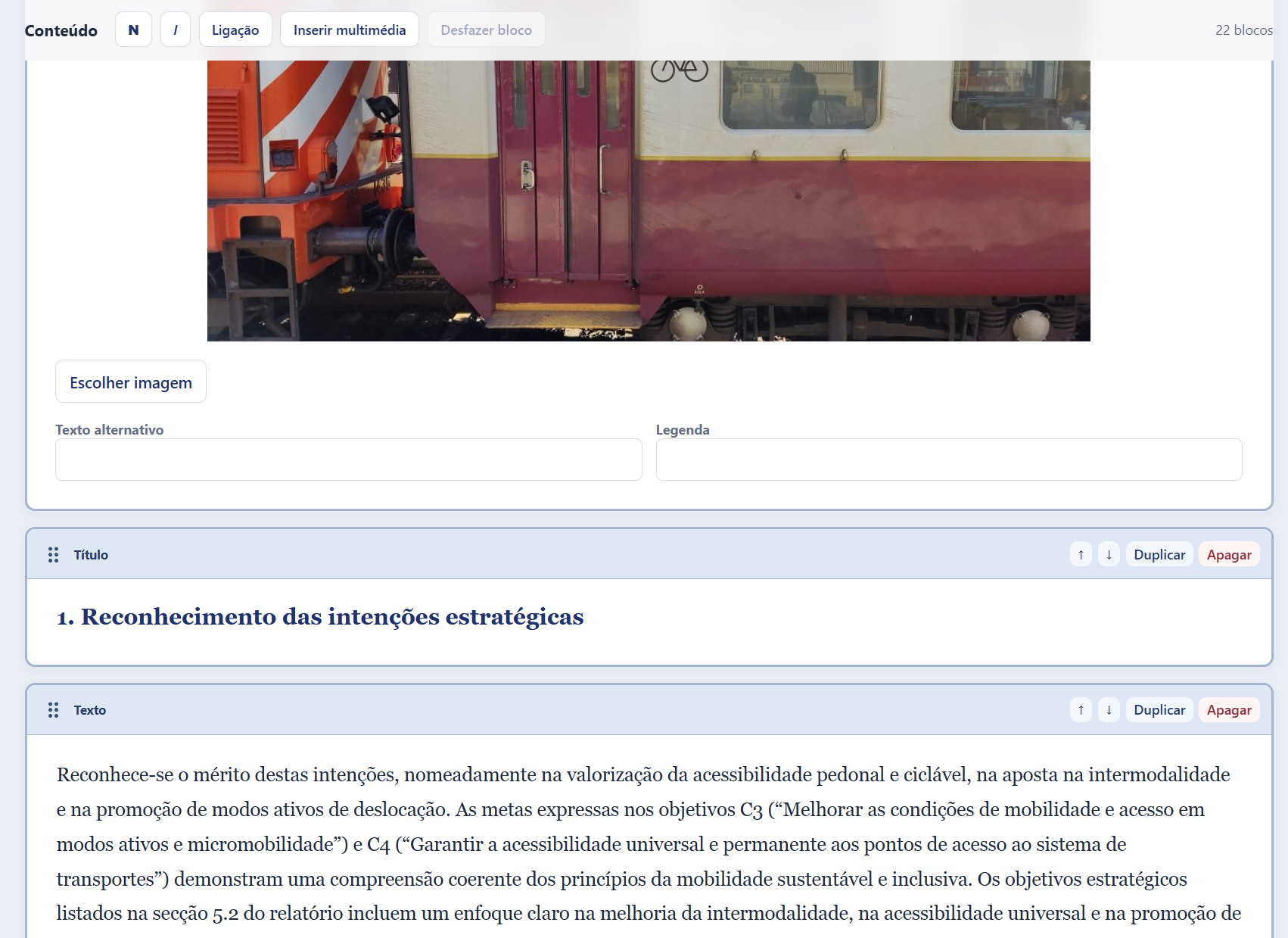
03 · Block editor

Organise content into text, heading and image blocks. Drag to reorder them and use the controls to duplicate, move or remove blocks.

View Full-size Screenshot ↗
Image, heading and text blocks with move, duplicate and delete controls

What you can manage yourself

  • Create, edit and publish articles.
  • Add images to articles.
  • Edit SEO titles and descriptions.

The dashboard scope is defined in the proposal. Training can be included as an optional item in the quote.

What you can ask support to do

  • Change the layout or add sections.
  • Modify pages outside the blog.
  • Develop new features.

These changes are quoted separately or carried out through a support-hours package.

Your forms can keep working too

Alongside pages and articles, we identify the functions your website needs to retain and define their implementation in the proposal.

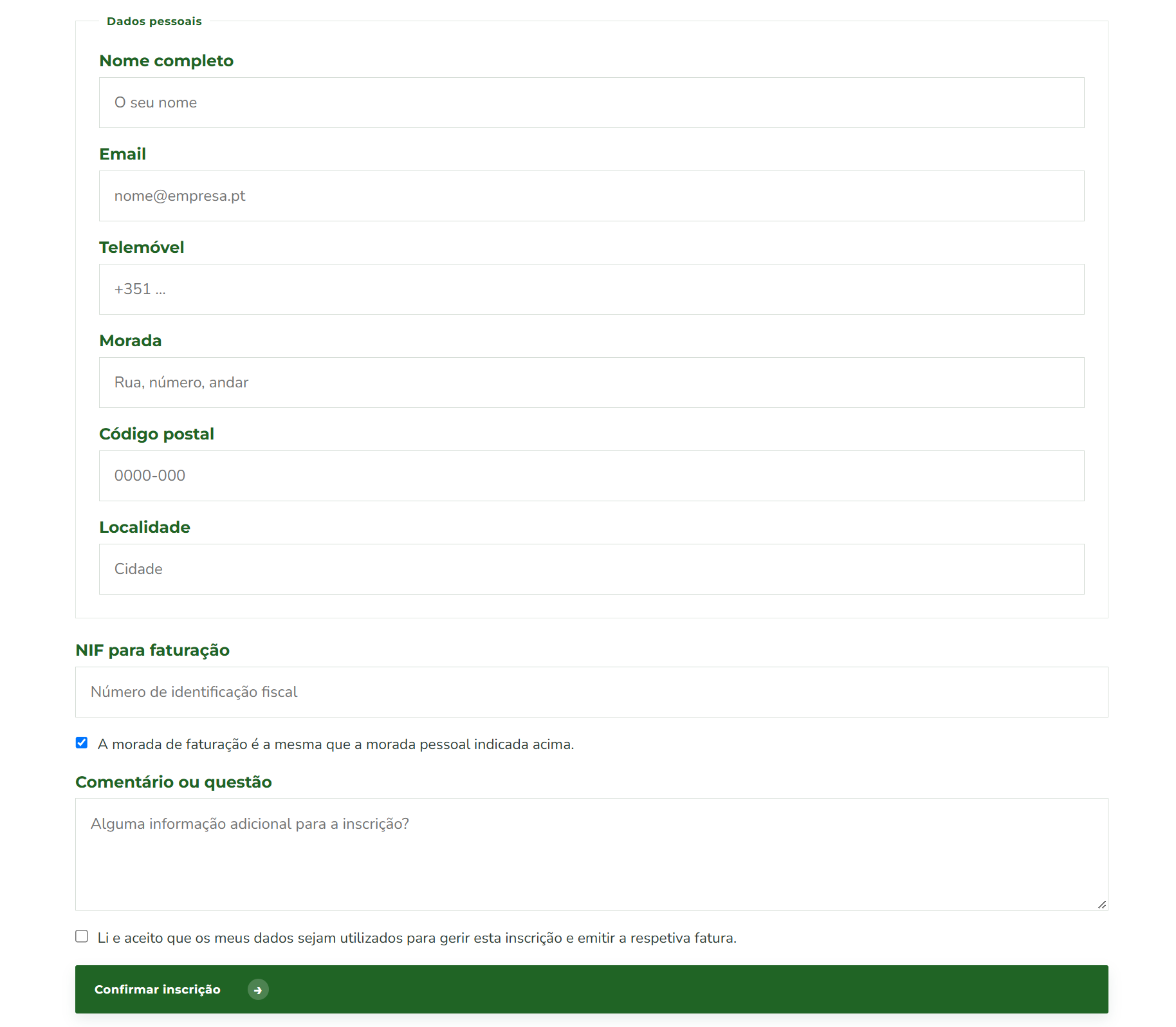
Registration form example

A form with personal details, address, Portuguese tax number, billing information and comments, including an option to reuse the same address and confirmation of data use.

Fields, validation and submission handling are adapted to your project. The interface can use HTML, with server-side processing or an agreed integration.

View Full-size Screenshot ↗
Registration form with personal details, address, tax number and billing information

Is conversion right for your website?

The initial review confirms what can be preserved and what needs development.

A good fit for

  • Business websites, portfolios and blogs.
  • Rebuilding a website after an intrusion.
  • Moving away from WordPress, theme and plugin updates.
  • Projects with large amounts of content.
  • Publishing articles through a simple dashboard.
  • Websites that do not depend on specific plugins.

From review to launch

Your current website stays online while we prepare the new version. The switch is planned after validation.

  1. 1

    Review

    An inventory of pages, content, URLs and features.

  2. 2

    Conversion

    Rebuilding the design and content in optimised HTML.

  3. 3

    Dashboard

    Preparing the article management dashboard agreed in the proposal.

  4. 4

    Validation

    Checking pages, navigation, forms and redirects.

  5. 5

    Launch

    A planned switch, sitemap updates and support after handover.

A quote tailored to your website

Pricing depends on content volume, features and dashboard scope. We provide a proposal after reviewing your website.

What the proposal covers

  • Pages and articles to convert.
  • Design, images and content to preserve.
  • Management dashboard features.
  • URLs, redirects and SEO elements.
  • Validation, launch and support after handover.

Before converting your website

Are Google rankings guaranteed?

Rankings cannot be guaranteed. We plan to preserve URLs, titles, descriptions and content, configure redirects where needed and review the sitemap to reduce migration risks.

Can I edit every page?

The base dashboard is for articles. Management of other pages can be included in the proposal; support can handle layout changes and new sections.

Will forms and other features still work?

We identify them during the review. Form submissions, search and integrations are preserved or rebuilt within the agreed scope and tested before launch.

Will my website go offline?

WordPress stays online during preparation. We plan the switch to minimise disruption and confirm that the new version works after launch.

How long does it take?

The reference timeframe is two weeks after design approval and receipt of content and access details. We confirm the schedule in the proposal based on the project scope.

Do I need to keep WordPress?

The converted website no longer needs WordPress to serve its pages. If you use our management dashboard, hosting must support PHP. Requirements are defined before the switch.

Free Website Review

Your WordPress website could be lighter.

Send us your website address. We assess the HTML conversion and identify the features you need to keep.

This form opens your email app. Review the message and send it there. You can also email psantos@1000megabytes.pt or contact us on WhatsApp.

We use these details to respond to your enquiry. Privacy policy.

No obligation. The final scope, costs and schedule are confirmed in the proposal.